 CuePhone — iPhone, iPad & Mac · Coming soon
The phone in the shot,
played on cue.
CuePhone is a prop-phone app for film and TV sets. Prepare the fictional messages, calls and screens your actor's phone shows, run them from a control device with a single GO, and start every take from the same screen.
New to phone inserts? Read how to show a phone screen in a film, or compare prop phone apps.

A phone insert has to land on the beat — every take.
The text has to arrive at the right moment. The call has to ring when the actor is ready. And when the director says "again," the phone has to be exactly where it was. CuePhone is built around that loop: prepare, cue, play, reset.
Prepare it. Cue it. Reset it.
Prepare the scene
Build the conversation, the contact, the call, the clock and battery your story needs. A ready-made example scene is built in, so you can try it before you build your own.
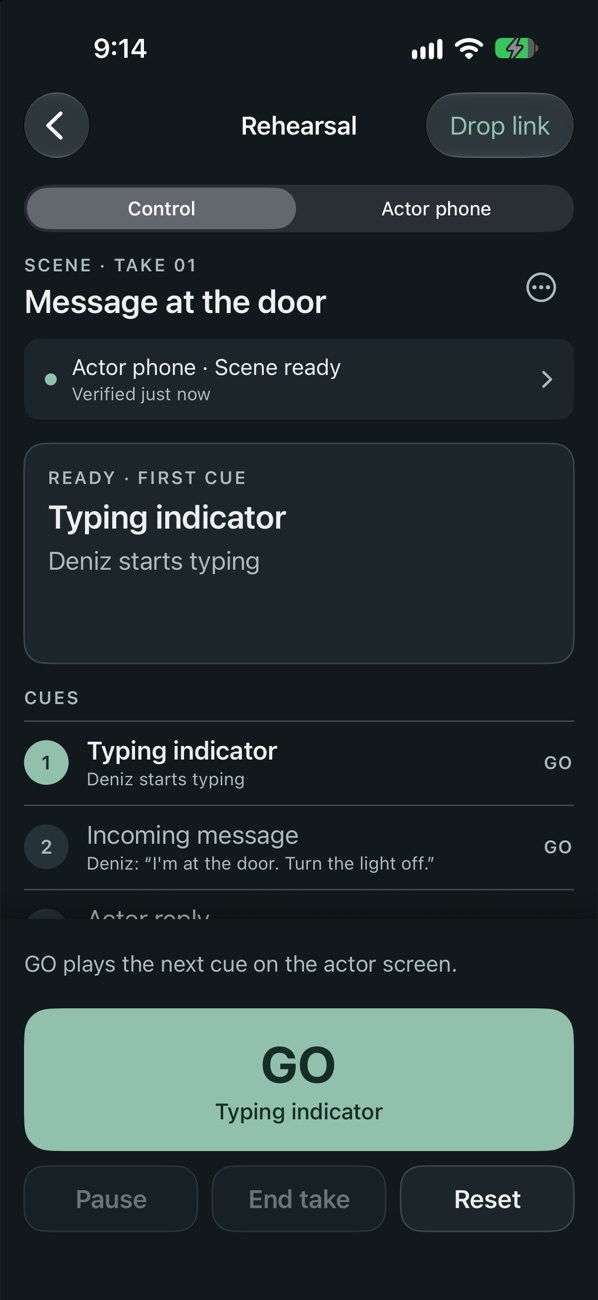
Cue it with GO
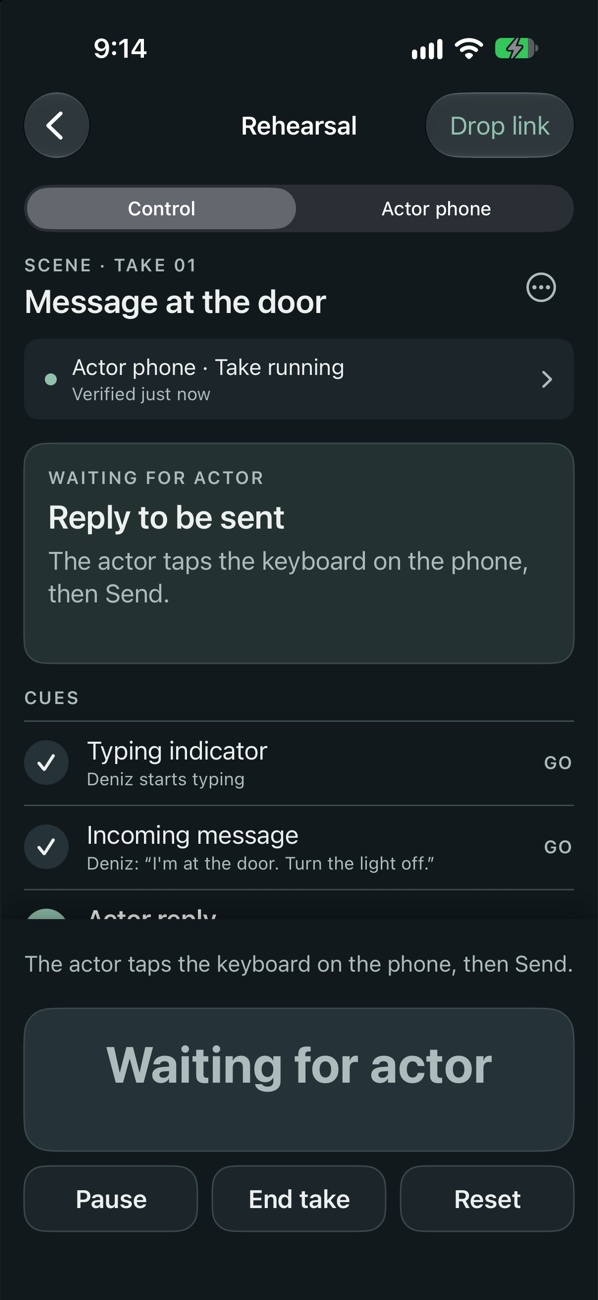
The control device plays the next event on the actor's phone — a typing indicator, a message, an incoming call. It shows what's next and what it's waiting for.
Reset for the next take
One Reset returns the phone to the same starting screen, so the next take begins exactly like the last. Repeated or stale commands are rejected.
Everything the phone in your scene might need to do.
A full prop-phone toolkit, designed for the way a set actually runs — not a screenshot you swap in post.
Messages & chat
Incoming and outgoing messages, a typing indicator, read status, images, voice-message and file representations, and a conversation history that's already there when the scene starts.
Calls & video calls
An incoming call the actor can answer or decline, and a recorded video call with trimming, framing and a waiting loop — so a call plays the same way each take.
A keyboard the actor can use
The actor taps the fictional keyboard and the prepared reply builds up with each touch. Send works once the reply is complete. The actor's own timing is kept.
Lock screen & notifications
Fictional lock screens and notifications drawn inside the app, plus maps, mail, gallery and more screen types for the scenes that need them.
Colours from your film
Theme the phone to match the film's palette, and set the screen's language and region independently of the app's — a phone that belongs in your world.
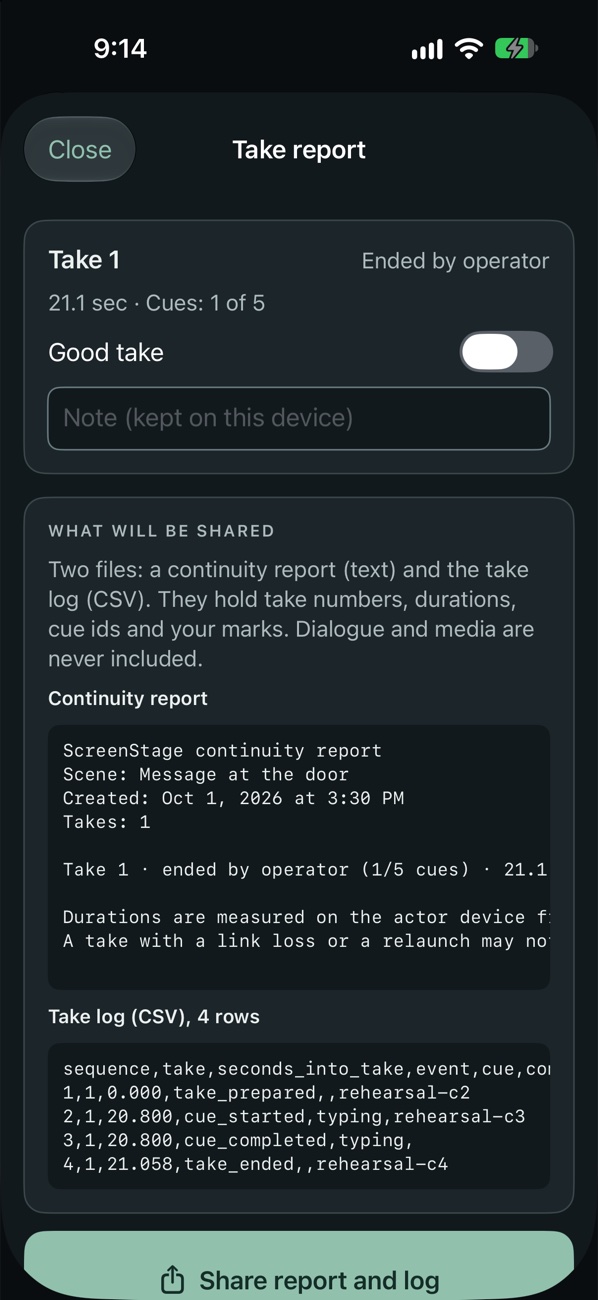
Take log & continuity report
Mark good takes, add notes, and share a continuity report and take log. They hold take numbers, durations and cue marks — dialogue is never included.
Built for the department
Apple Watch GO, Bluetooth keyboard or clicker triggers, MIDI and OSC, screenplay import from Fountain and Final Draft, and a silent mode for the sound department.
Several actor phones
Run more than one actor device from a single control, for scenes with more than one phone in frame. Rehearse a whole scene on one device first.
The actor's phone is always free.
Whoever prepared a scene, the person holding the phone should never be asked to pay to play it. We'll announce the price at launch.
Free
- Actor phonePlay and control any compatible scene on one actor phone
- Rehearse on one deviceTry the built-in example scene
- No accountNo sign-in, ever
Pro — pay once
- Prepare your own scenesMore than one editable scene and every screen type
- Video, themes & script importRecorded calls, palettes, Fountain and Final Draft
- Several actor phonesOne purchase for iPhone, iPad and Mac, no subscription
Props, not the real thing.
No real contact
CuePhone draws fictional screens. It places no real calls, sends no real messages and makes no real payments.
No brands implied
Screens use generic look-alike styles with no real logos or brand names, so a scene doesn't imply any real service.
Your scenes stay yours
No account to create. Scenes are stored on your device and the app doesn't upload them.
Tested on real sets first
We're field-testing on working sets before release and won't ship until it's reliable. There's no release date yet.
Before it lands.
What is CuePhone?
A prop-phone app for film and TV sets. You prepare the fictional screens an actor's phone shows — messages, calls, video calls and more — then play them on cue from a control device and reset to the same starting screen for every take.
Does CuePhone send real texts or make real calls?
No. Everything it shows is fictional. It performs no real calls, messages or payments, and it contacts no one.
Do I need two phones?
The usual setup is a control device that runs the cues and an actor phone that shows the screen. You can also rehearse a scene on a single device.
Is CuePhone free?
The actor phone is always free: play and control any compatible scene on one actor phone without paying, whoever prepared it. Preparing your own scenes is unlocked by a single lifetime purchase. No subscription.
Does it copy real messaging apps?
No. It ships generic look-alike screen styles with no real logos or brand names.
Does it need an account?
No. There is no sign-in. Your scenes are stored on your device, and the app does not upload them.
What devices does it support?
iPhone, iPad and Mac, with an Apple Watch GO button. There is no Android version.
When is it available?
It's in development and being tested on real sets before release. There's no release date yet — leave your email and we'll tell you the day it launches.
Get the phone in your shot right — every take.
CuePhone is coming soon. Be first to know when it lands.